
Search
MiniClouds in CrashPlan Platform allow administrators to create dedicated cloud storage spaces for teams to securely store, share, and collaborate on files. Each MiniCloud acts as a controlled workspace where access is restricted based on assigned users and policies.
Creating MiniCloud
The Create MiniCloud feature allows administrators to define a new MiniCloud with the following parameters:
- MiniCloud Name → Name of the MiniCloud
- MiniCloud Quota (GB) → Storage limit assigned
- MiniCloud Expiry → Validity period of the MiniCloud
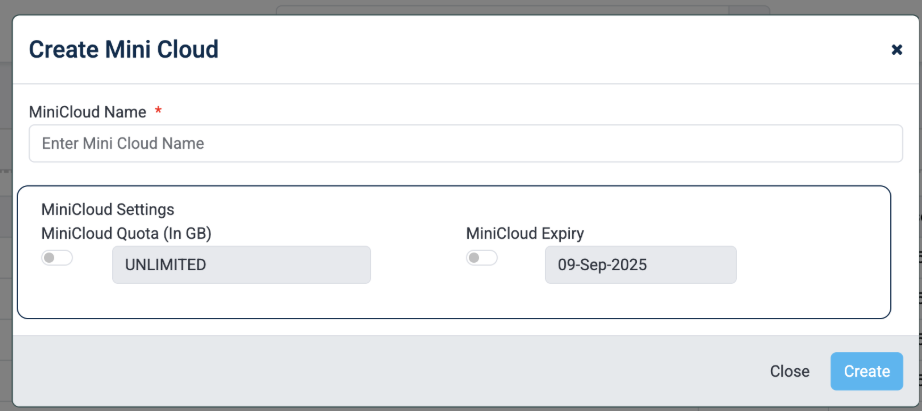
Create MIniCloud - MFT
Functionality
- Admins can create MiniClouds for teams or individuals
- Users assigned to a MiniCloud can only access permitted data
- Ensures secure, segmented data sharing across the organization
Folder Management
The Folder feature allows administrators to create cloud-based folders for centralized file access and synchronization.
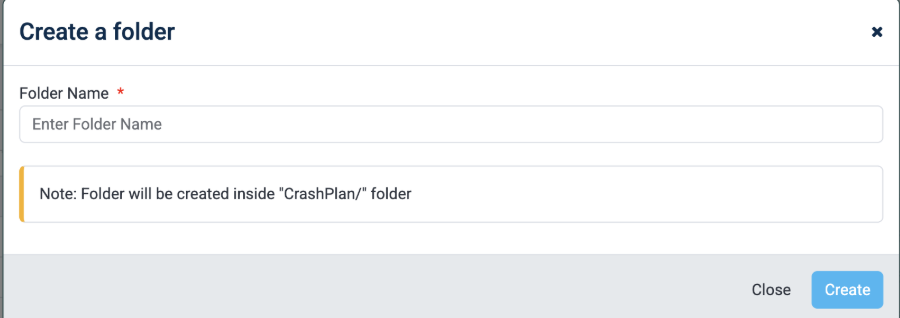
Create a Folder - MFT
- Creates folders inside the default path: CrashPlan/
- Enables file storage and sharing through web interface
- Files stored in folders are accessible across multiple devices
- Any updates made to files are automatically synchronized across devices
Validation Rules
- Only allowed special characters: @, -, _, .
- No other special characters permitted
File and Folder Upload
This feature enables users to upload files and folders using:
- File selector
- Folder selector
- Drag-and-drop functionality
Functionality
- Uploaded files are accessible across multiple devices
- Files are automatically synchronized for all authorized users
- Supports continuous collaboration and access
Was this page helpful?