
Search
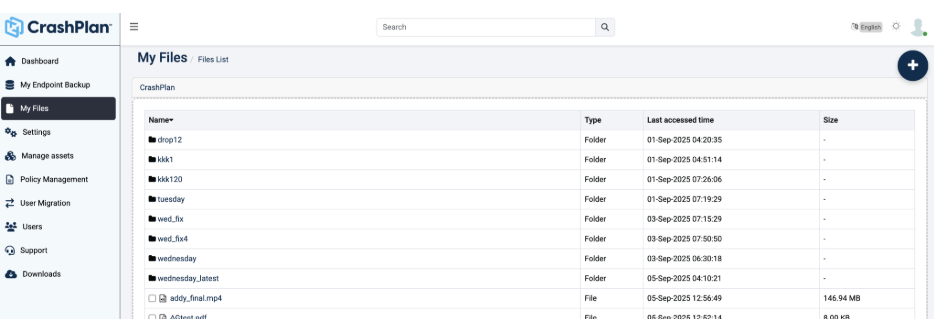
The My Files page in the left navigation of the CrashPlan Platform provides a centralized view of all user files, folders, and MiniClouds. Users can browse their content and perform actions based on assigned policies and role-based permissions. Each user is associated with a policy that defines access parameters and allowed operations.
File List Information
The My Files page displays the following details for each item:
| Name | Name of the file, folder, or MiniCloud |
|---|---|
| Type | Indicates whether the item is a File, Folder, or MiniCloud |
| Last Accessed Time | Shows the last modified or accessed timestamp |
| Size | The size column displays file size for individual files. For folders and MiniClouds, a single consolidated size is not shown and is represented as “-”. |
Allowed Operations
The My Files page supports creation and upload actions based on user policy and role:
- Create MiniCloud
- Create Folder
- Upload Files
- Upload Folders
My Files - MFT
Right-Click Actions
Users can perform the following actions on files (availability depends on policy):
| Action | Function |
|---|---|
| Share | Share files with other users |
| Download | Download selected files |
| View | Open and view file content |
| Versions | View file history (Added / Modified / Deleted versions) |
| Rename | Rename folders or files |
| Cut | Move files from one location |
| Copy | Copy files to clipboard |
| Paste | Paste copied or cut files to a location |
| Delete | Move file to trash |
| Delete Permanently | Permanently remove file |
- Download is not supported for MiniClouds and Folders.
- All actions are governed by user policy and role permissions.
- Access and functionality may vary based on administrative configuration.
Was this page helpful?