
Creating Policy
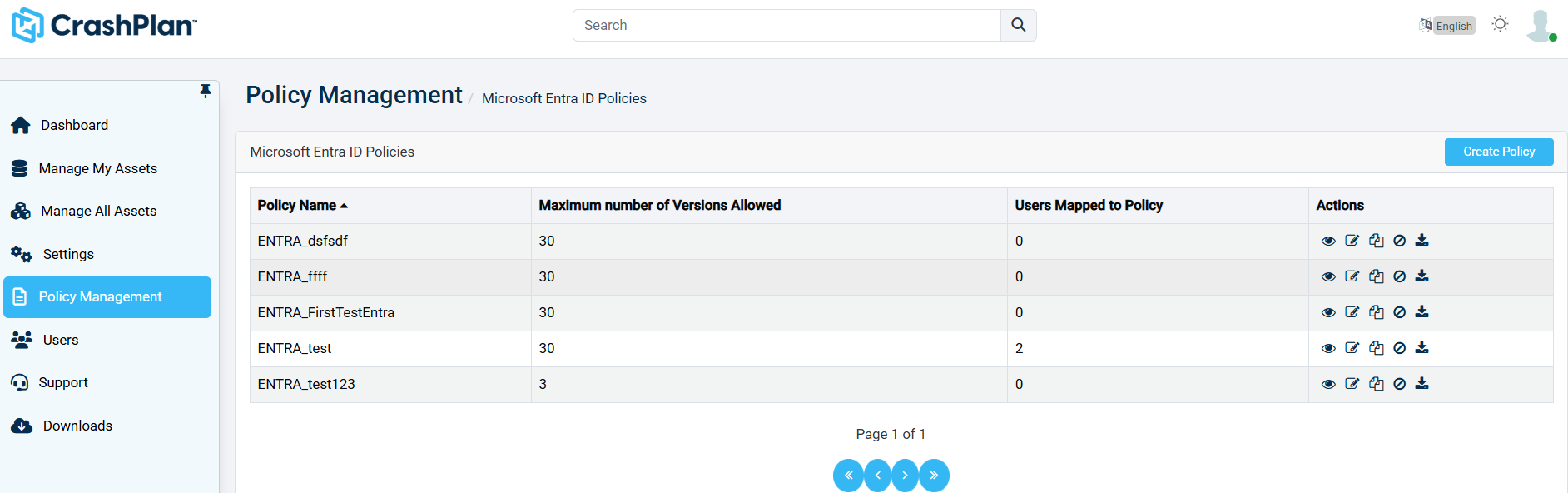
Clicking the Create Policy button in the upper-right corner will bring you to a new page to configure a new policy.
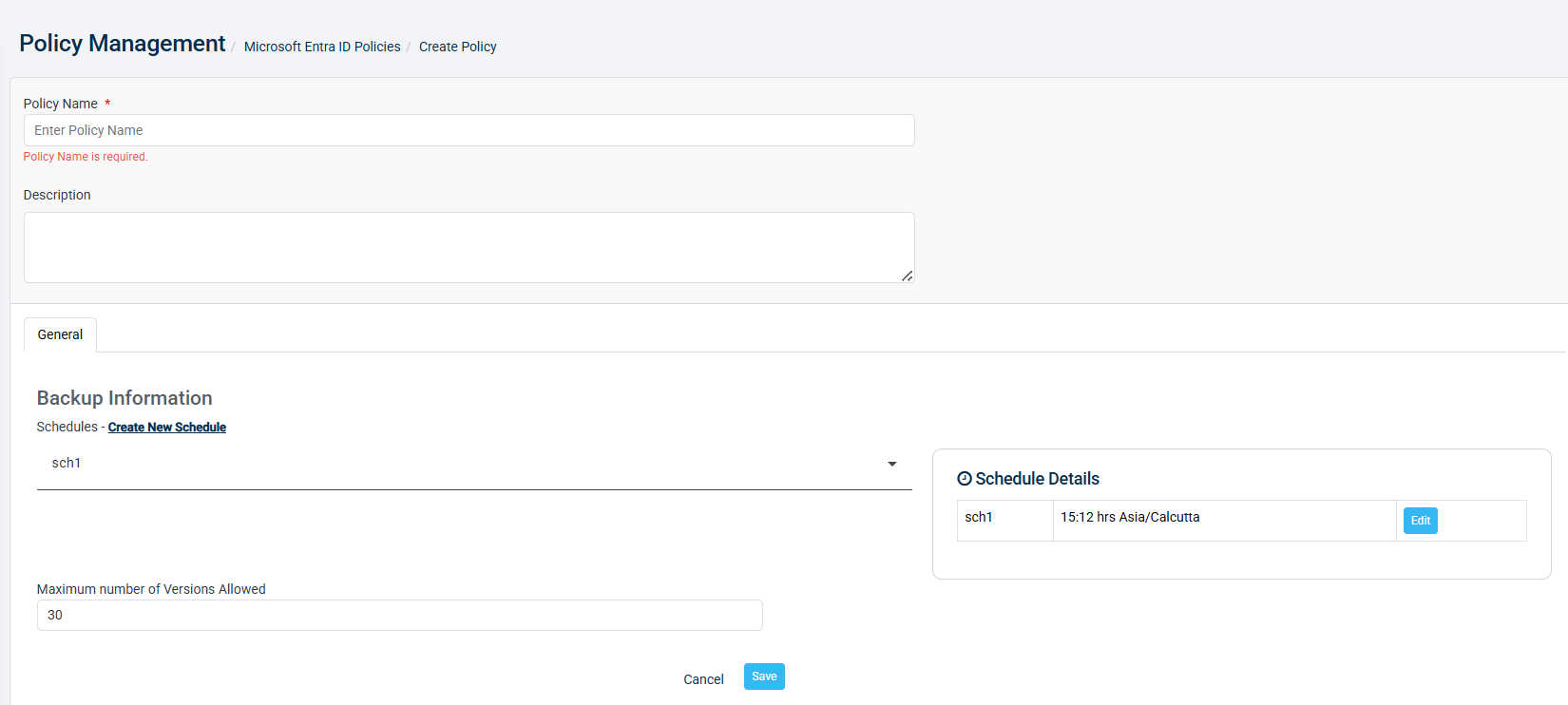
Each policy needs a Policy Name and Description to create. Once you have these policy details, click Save.
Each tab has a set of parameters that can be edited. The tables under the headings below list all the parameters that are available.
General
Backup Information
Name | Description |
|---|---|
Schedules | Select one or more schedules from the dropdown list. You can also select Create New Schedule to add a new schedule to the list. If schedules are added to the list, a Schedule Details summary will appear on the right, showing an overview of the schedules selected and providing an action button to edit them. |
Maximum number of Versions Allowed | Enter a numeric value for the number of versions you want to allow for this policy. All modifications are merged into a single version that is captured in a backup job. |