
Use the Schedules page under Policy Management to create, edit, or delete backup schedules for your workloads.
From the left navigation pane, click Policy Management.
Navigate to the Schedules section.
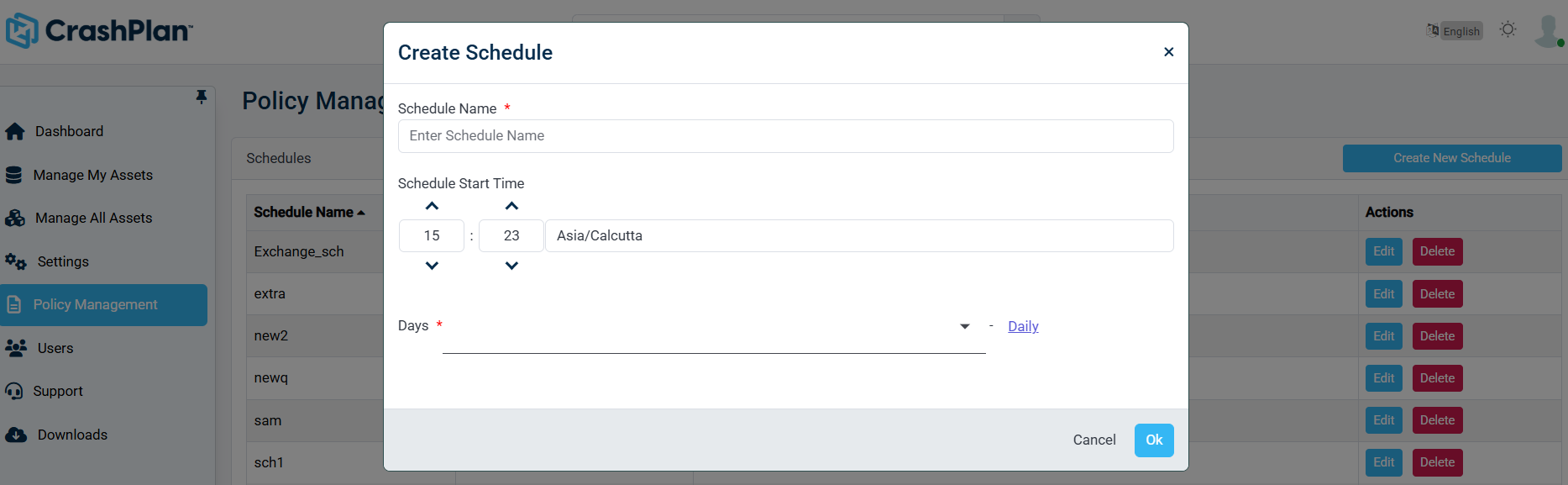
Review the list of configured schedules. The table displays:
Schedule Name – The name assigned to the backup schedule.
Schedule Start Time – The time and time zone when the backup begins.
Days – The selected days on which the schedule runs.
Creating a New Schedule
Click Create New Schedule.
Enter a unique Schedule Name.
Set the Schedule Start Time.
Select the days on which the backup should run.
Save the schedule.
Editing an Existing Schedule
Locate the required schedule in the list.
Click Edit in the Actions column.
Modify the schedule settings as needed.
Save the changes.
Deleting a Schedule
Locate the schedule you want to remove.
Click Delete in the Actions column.
Confirm the deletion when prompted.
Deleting a schedule may impact backup jobs currently associated with it. Ensure that dependent policies are updated accordingly.