
Use the My Assets section to view and manage Microsoft Entra ID assets, including backed-up files, restore options, backup summaries, and asset actions.
From the CrashPlan Platform, navigate to Manage All Assets.
To locate a specific asset, enter its name in Search for Assets.
To perform an action on an asset, select the Actions icon (⋮) for the required asset.
Click Manage Asset.
Select the Microsoft Entra ID asset card under My Assets.
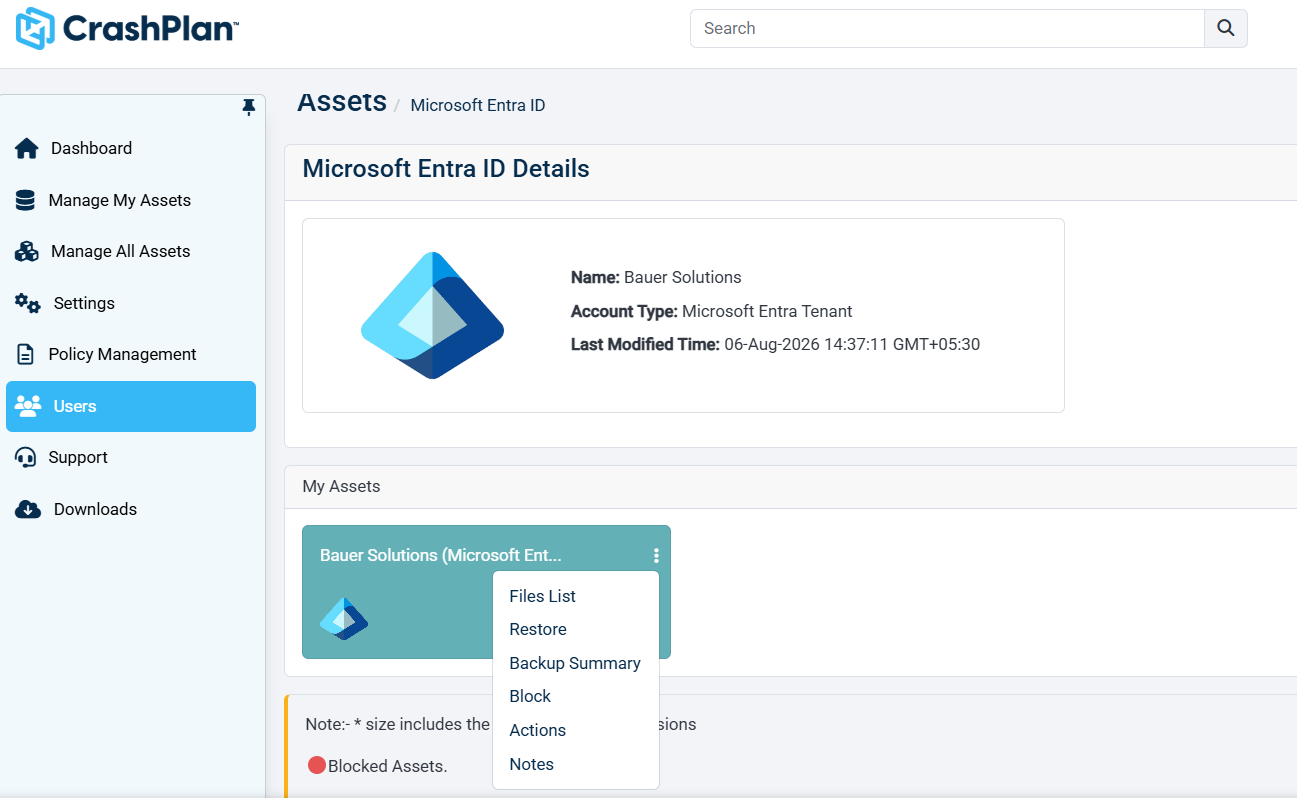
Click the three-dot menu on the asset card to view the available options.
Select an option based on the action you want to perform:
Files List: View the backed-up files.
Restore: Restore backed-up data.
Backup Summary: View backup details and summary information.
Block: Block the asset.
Actions: Access available asset actions.
Notes: View or manage notes associated with the asset.